
If you run a WooCommerce store and manage operations through Odoo ERP, you already know the problem: two powerful platforms, operating in isolation, creating friction at every step. Orders sitting unprocessed. Inventory counts that disagree. Customers asking “where is my order?” while your team scrambles between dashboards to find the answer.
There is a better way. OdooSync by ERP Linker is a purpose-built WooCommerce–Odoo integration plugin designed to eliminate that gap entirely — connecting your storefront and your ERP into a single, harmonious operational system. In this article, we will walk you through exactly what OdooSync does, who it is for, and why it is the most reliable connector available for businesses serious about scaling their WooCommerce store with Odoo as their operational backbone.
Table of Contents
- What Is OdooSync?
- Who Is OdooSync Built For?
- OdooSync Core Features: A Deep Dive
- How OdooSync Works: The Technical Architecture
- OdooSync vs. Manual Integration: The Real Cost of Doing Nothing
- Odoo Modules OdooSync Integrates With
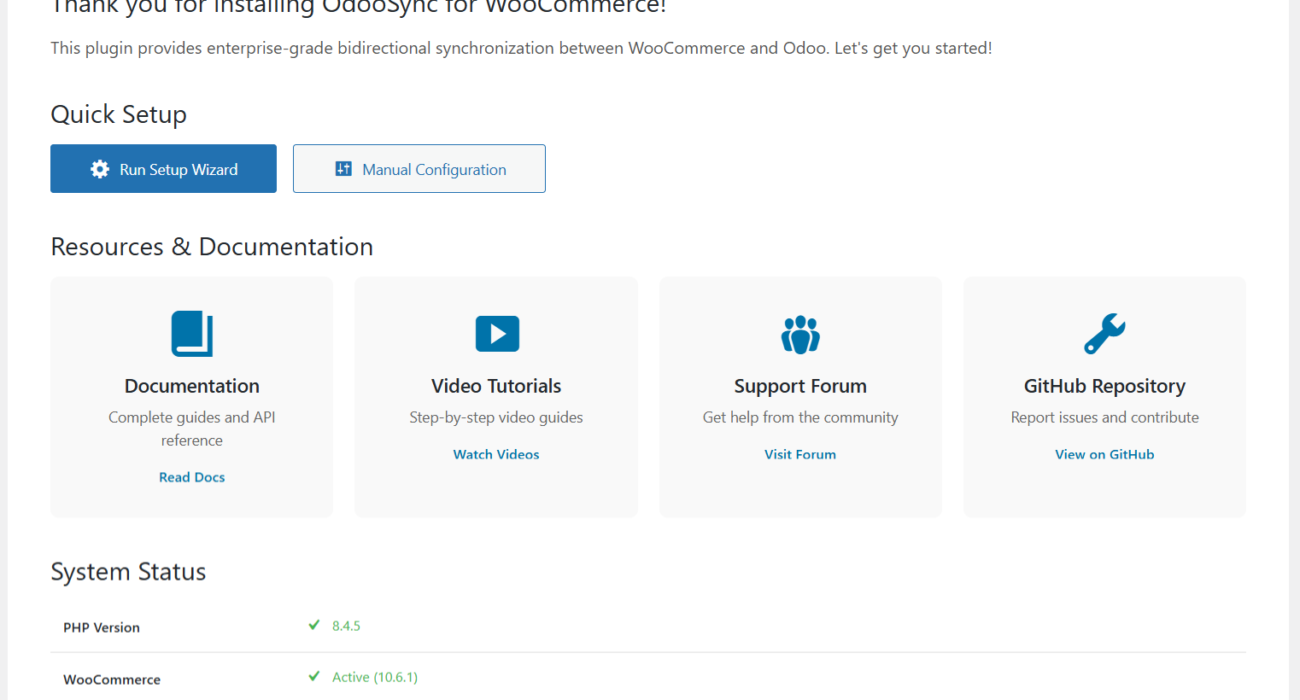
- Getting Started with OdooSync: What to Expect
- Why ERP Linker for Your WooCommerce–Odoo Integration?
- Frequently Asked Questions: OdooSync by ERP Linker
- Conclusion: OdooSync Is the Integration Your WooCommerce–Odoo Stack Needs
What Is OdooSync?
OdooSync is ERP Linker’s dedicated WooCommerce–Odoo integration plugin. It creates a live, bidirectional data bridge between your WooCommerce store and your Odoo ERP instance — automatically synchronising orders, inventory, products, customers, and financial data across both platforms without manual intervention.
Built by the team at ERP Linker — specialists in WooCommerce ERP integration with deep expertise across SAP, Oracle, Microsoft Dynamics, NetSuite, and Odoo — OdooSync reflects years of real-world implementation experience. It is not a generic middleware tool. It is a connector designed specifically for the WooCommerce–Odoo ecosystem, with the stability, flexibility, and long-term scalability that growing eCommerce operations demand.
| 🔗 Product at a Glance Product Name: OdooSync — WooCommerce to Odoo Integration Developer: ERP Linker Integration: WooCommerce (WordPress plugin) ↔ Odoo ERP Odoo Versions: Compatible with Odoo 13 through 19 Sync Direction: Bidirectional (WooCommerce ↔ Odoo) URL: erplinker.com/downloads/woocommerce-odoo-integration-odoosync/ |
Who Is OdooSync Built For?
OdooSync is the right solution for any eCommerce operation that runs WooCommerce as its storefront and Odoo as its back-office ERP — or is in the process of implementing Odoo alongside an existing WooCommerce store.
Specifically, OdooSync delivers the most value for:
eCommerce Store Managers
Managing growing order volumes and product catalogues across two disconnected systems is unsustainable. OdooSync removes the manual work of keeping both platforms aligned.
Operations & Fulfilment Teams
Every WooCommerce order that flows automatically into Odoo’s sales and inventory modules is one fewer manual task — and one fewer opportunity for error.
Finance & Accounting Teams
When WooCommerce orders automatically generate Odoo invoices and update financial records, your accounting data is always current and audit-ready.
Multi-Store Operators
OdooSync supports multiple WooCommerce store instances connected to a single Odoo database — ideal for multi-brand or regional eCommerce operations.
Businesses Implementing Odoo
If you are migrating to Odoo from another ERP or adopting Odoo for the first time, OdooSync provides a clean, tested integration pathway that minimises go-live risk.
OdooSync Core Features: A Deep Dive
OdooSync is not a lightweight connector. It covers every major data domain that matters to an eCommerce operation. Here is what you get out of the box:
| 📦 Real-Time Inventory & Stock Synchronisation Stock levels update automatically between WooCommerce and Odoo whenever a sale is made, a product is restocked, or inventory is adjusted. This prevents overselling, eliminates the need for manual stock checks, and ensures your WooCommerce store always displays accurate availability. For businesses managing stock across multiple warehouse locations, OdooSync handles multi-location inventory tracking with precision. |
| 🛒 Automated Order Management & Status Mapping When a customer places an order in WooCommerce, OdooSync instantly creates a corresponding sales order in Odoo — triggering your fulfilment workflow automatically. Order statuses are mapped bidirectionally, so when Odoo marks an order as shipped, WooCommerce reflects the update in real time. This end-to-end automation eliminates the fulfilment delays and status inconsistencies that plague manually managed operations. |
| 🏷️ Comprehensive Product & Catalogue Sync Product details — names, descriptions, pricing, categories, attributes, images, and variants — synchronise between WooCommerce and Odoo with configurable frequency. Whether you add a new product in WooCommerce or update pricing in Odoo, OdooSync ensures both platforms stay aligned. Importing and exporting single products or entire catalogues is equally efficient, making OdooSync suitable for both boutique stores and operations with thousands of SKUs. |
| 👤 Customer Data & CRM Synchronisation OdooSync transfers customer records — including names, email addresses, shipping and billing addresses, and order history — from WooCommerce into Odoo’s Contacts module. This creates a unified customer view across your entire business, supporting accurate CRM, personalised marketing, and superior customer service. Your customer data is never duplicated or fragmented across systems. |
| 🧾 Automatic Invoice Creation When WooCommerce orders are processed, OdooSync can automatically create corresponding invoices in Odoo’s Accounting module. This keeps your financial records accurate and current without manual bookkeeping, supporting faster month-end closes and cleaner audit trails. Tax mapping and payment details are accurately transferred, ensuring compliance across different regions and tax jurisdictions. |
| 🏪 Multi-Store WooCommerce Support For businesses operating more than one WooCommerce store, OdooSync supports multiple WooCommerce instances connected to a single Odoo database. Manage multi-brand, multi-region, or multi-category operations from one centralised Odoo environment — with data from all stores consolidated for unified reporting and decision-making. |
| 🌍 Multi-Language & Global Support OdooSync is built for international eCommerce. Product data, customer records, and order information can be synchronised across multiple languages — making it an ideal solution for stores serving global markets or operating across multiple regional domains. |
| 🔌 Odoo Version Compatibility (v13 to v19) OdooSync is fully tested and compatible with Odoo versions 13 through 19 — covering both established ERP environments and the very latest Odoo releases. Whether your business is running a stable Odoo 16 instance or has recently upgraded to Odoo 19, OdooSync integrates without compatibility concerns. |
| 📡 Reliable API & Visual Connection Indicators OdooSync includes visual connection indicators that confirm the live status of your WooCommerce–Odoo link at a glance. Enhanced API reliability means your integration stays connected and syncing as expected — with built-in debug logging tools to diagnose and resolve any connectivity issues quickly. |
How OdooSync Works: The Technical Architecture
OdooSync operates exclusively on your WooCommerce server — it does not add any code or modules to your Odoo instance. All interaction with Odoo happens via Odoo’s native XML-RPC API, using your Odoo API key for secure authentication. This design keeps your Odoo environment clean and your integration low-risk.
The required Odoo modules for full functionality are:
- Sales (sale) — required for creating Sales Orders from WooCommerce orders
- Accounting (account) — required for automatic invoice generation
- Inventory (stock) — required for stock and product synchronisation
- Contacts (contacts) — required for customer record synchronisation
Once connected, OdooSync manages synchronisation through configurable cron jobs and real-time webhook triggers — giving you control over sync frequency for each data domain. Import and export operations can be triggered manually or run automatically on a schedule that fits your operational rhythm.
| ⚙️ Supported Sync Directions WooCommerce → Odoo: Orders, Customers, Products (export), Coupons Odoo → WooCommerce: Products (import), Pricing, Inventory/Stock Levels Bidirectional: Order Status Updates, Product Data, Category Structure |
OdooSync vs. Manual Integration: The Real Cost of Doing Nothing
Some store managers attempt to manage the WooCommerce–Odoo data gap manually — exporting CSVs, copying order details, updating stock by hand. This approach has a predictable set of consequences:
| ❌ Without OdooSync • Manual stock updates lag behind actual sales • Orders processed hours or days late • Customer records duplicated or incomplete • Financial data requires manual reconciliation • Staff time wasted on data entry • Overselling events damage customer trust • Reporting requires exporting from multiple systems • Scale is limited by human bandwidth | ✅ With OdooSync • Inventory updates in real time, every transaction • Orders appear in Odoo the moment they are placed • Customer data consolidated automatically in Odoo CRM • Invoices created automatically in Odoo Accounting • Teams focus on value-add work, not data entry • Overselling eliminated by real-time stock accuracy • Unified reporting across all eCommerce and ERP data • Scale driven by systems, not headcount |
Odoo Modules OdooSync Integrates With
OdooSync is designed to work with Odoo’s core business modules, enabling a genuinely integrated operational environment rather than just a data feed between two systems:
| Odoo Module | What OdooSync Enables |
| Sales (CRM & Sales Orders) | WooCommerce orders automatically create Odoo Sales Orders, mapped to the correct customer record, product lines, and pricing. |
| Inventory (Stock) | Real-time stock level sync prevents overselling. Multi-location warehouse tracking keeps inventory data consistent across all fulfilment locations. |
| Accounting & Invoicing | Automatic invoice generation on order receipt. Payment status, tax data, and discount codes transfer accurately for clean financial records. |
| Contacts (CRM) | WooCommerce customer data flows into Odoo Contacts, building a unified customer database for CRM, marketing, and support. |
| Products & Pricelist | Product catalogue, variant data, pricing, and categories sync bidirectionally — keeping your store and ERP in agreement at all times. |
| eCommerce (optional) | For businesses also using Odoo’s native eCommerce module, OdooSync provides flexible configuration to avoid data conflicts. |
Getting Started with OdooSync: What to Expect
ERP Linker has designed OdooSync for straightforward implementation — with an intuitive interface and clear configuration flow that does not require deep technical expertise to get started. Here is a high-level overview of the setup process:
- Install the Plugin
Download OdooSync from your ERP Linker account and install it via WordPress Admin → Plugins → Add New → Upload. Activate the plugin to reveal the OdooSync settings panel within your WooCommerce settings.
- Connect to Your Odoo Instance
Enter your Odoo server URL, database name, and API key in the OdooSync General Settings page. A visual connection indicator confirms whether your WooCommerce store is successfully connected to Odoo. The status indicator displays clearly: “Odoo account is connected” (green) or connection error details if credentials need reviewing.
- Configure Sync Settings
Use the Import and Export settings tabs to configure which data domains sync, in which direction, and on what schedule. Sync frequency options include real-time, hourly, twice daily, and once daily — giving you control over system load and data freshness.
- Map Order Statuses
Navigate to the Order Status Mapping settings to align WooCommerce order statuses with Odoo sales workflow stages. This ensures that status transitions in one system are reflected accurately in the other.
- Run Initial Data Sync
Use the manual import/export triggers to perform your initial data migration — synchronising existing products, customers, and historical orders into Odoo before enabling automated ongoing sync.
- Monitor & Optimise
Use OdooSync’s built-in debug logging (accessible via WooCommerce → Status → Logs) to monitor sync performance and quickly identify and resolve any issues post-launch.
| 📋 Odoo Modules to Enable Before Connecting Before connecting OdooSync, ensure the following Odoo apps are installed and active in your Odoo instance: ✅ Sales | ✅ Accounting | ✅ Inventory | ✅ Contacts For Odoo Community and Odoo.sh editions, use your API key (not your account password) in the password field. Generate your API key from your Odoo account settings page. |
Why ERP Linker for Your WooCommerce–Odoo Integration?
OdooSync is not a standalone plugin from an unknown developer. It is backed by ERP Linker — a team of integration specialists with deep expertise across the full spectrum of enterprise ERP platforms, including SAP Business One, Oracle NetSuite, Microsoft Dynamics 365, and Odoo.
This breadth of ERP experience means OdooSync is built with the rigour and reliability that enterprise-grade integrations demand — not the fragility that characterises hastily assembled connectors. When you choose OdooSync, you are choosing a product built by people who have implemented WooCommerce ERP integrations at scale, understand the edge cases, and have engineered solutions for them.
ERP Linker also provides dedicated consulting and implementation services for businesses that need more than a plugin — including full integration architecture design, data migration, custom workflow configuration, and post-launch support. Whether you need a self-serve plugin or a fully managed integration engagement, ERP Linker can support your journey.
| ✅ The ERP Linker Advantage Deep WooCommerce ERP integration expertise across SAP, Oracle, Microsoft Dynamics, NetSuite, and Odoo OdooSync built and maintained by integration specialists — not generalist developers Compatible with all major Odoo versions (13 through 19) — future-proofed for continued Odoo updates Consulting services available for complex implementations, data migration, and custom workflows Enterprise-grade reliability built on WooCommerce REST API best practices Multi-store, multi-language, and global operations fully supported |
Frequently Asked Questions: OdooSync by ERP Linker
Which Odoo versions does OdooSync support?
OdooSync is fully compatible with Odoo versions 13 through 19 — including Odoo Community, Odoo Enterprise, and Odoo.sh deployments. For Odoo 19 specifically, ensure that the required modules (Sales, Accounting, Inventory, Contacts) are installed and API access is enabled for full functionality.
Does OdooSync modify my Odoo instance?
No. OdooSync operates exclusively from your WooCommerce server and interacts with Odoo via its native XML-RPC API. No code, modules, or custom fields are added to your Odoo environment — keeping your ERP instance clean and compliant with Odoo’s standard architecture.
Can I connect multiple WooCommerce stores to one Odoo database?
Yes. OdooSync’s multi-store support allows you to connect multiple WooCommerce instances to a single Odoo database — ideal for multi-brand, multi-region, or multi-category eCommerce operations managed from one centralised ERP.
How does OdooSync handle order status changes?
OdooSync includes configurable order status mapping that aligns WooCommerce order statuses (pending, processing, completed, refunded, etc.) with Odoo’s sales workflow stages. Status changes in either system are reflected in the other, keeping your operations team and your customers aligned at all times.
Is OdooSync suitable for large product catalogues?
Yes. Recent performance enhancements to OdooSync have significantly improved large-catalogue synchronisation speeds — reducing processing time and improving reliability for stores with growing or complex inventories, including products with multiple variants and attributes.
What support is available with OdooSync?
OdooSync is backed by the ERP Linker team, who provide support for installation, configuration, and connectivity issues. For businesses requiring more comprehensive implementation support — including data migration, custom status mapping, or integration with bespoke Odoo workflows — ERP Linker’s consulting services are available.
Does OdooSync work with Odoo Community Edition?
Yes. OdooSync is compatible with Odoo Community Edition, Odoo Enterprise (on-premise and Odoo.sh). Configuration details differ slightly between editions — refer to the official setup documentation on the ERP Linker product page for edition-specific guidance.
| Stop Managing Two Systems. Start Running One Business. OdooSync by ERP Linker connects your WooCommerce store and Odoo ERP into a single, automated, always-in-sync operational system. Install it today and eliminate the manual work that is holding your business back. → Download OdooSync at erplinker.com/downloads/woocommerce-odoo-integration-odoosync Need expert implementation support? Contact ERP Linker’s consulting team. |
Conclusion: OdooSync Is the Integration Your WooCommerce–Odoo Stack Needs
If your business runs on WooCommerce and Odoo, OdooSync is not a nice-to-have. It is the operational foundation that makes both platforms work as a cohesive system rather than two expensive silos.
With real-time inventory sync, automated order management, customer data unification, automatic invoice creation, multi-store support, and compatibility across Odoo 13 to 19 — OdooSync by ERP Linker delivers a complete, reliable, and scalable integration that grows with your business.
Built by integration specialists. Backed by real-world implementation experience. Supported by the ERP Linker team. That is what separates OdooSync from a generic connector.