
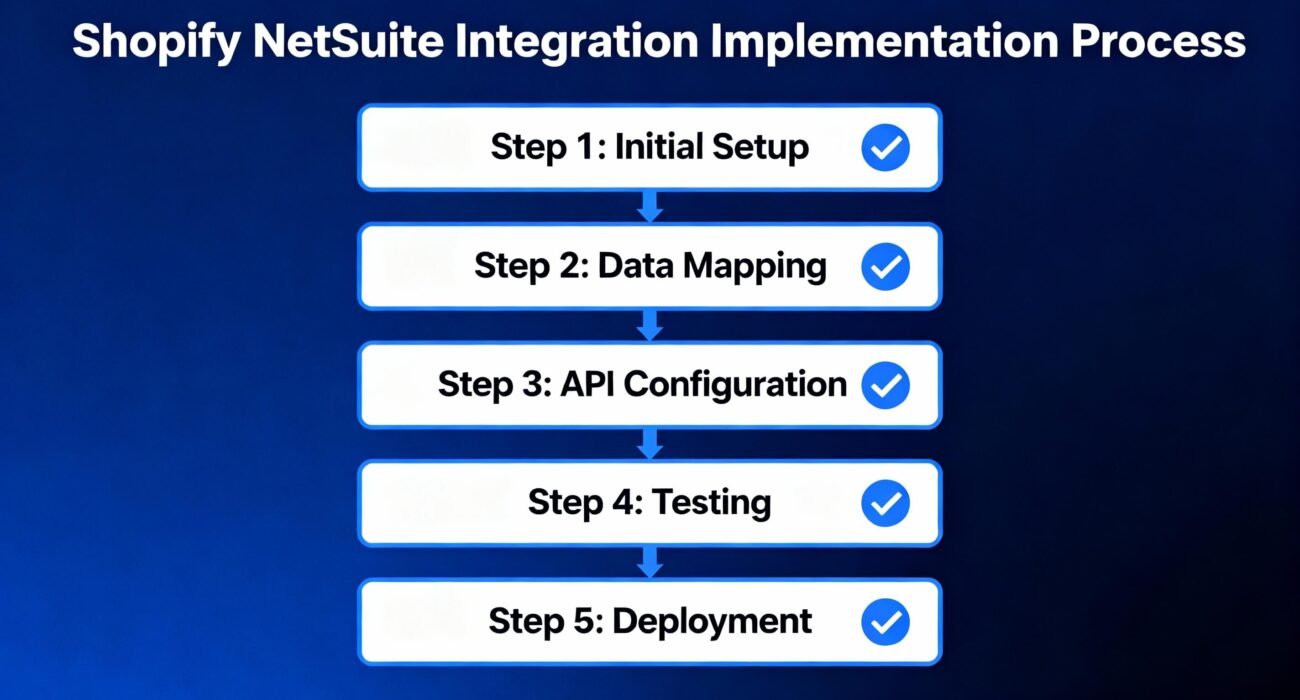
The fundamental truth that separates billion-dollar e-commerce companies from struggling startups: their systems talk to each other.
If your Shopify store and NetSuite ERP aren’t integrated, you’re operating with a broken nervous system. Orders pile up in one system, inventory sits in another, and your team wastes hours—sometimes days—reconciling data between platforms. The costs? Overselling, stockouts, angry customers, missed revenue, and hemorrhaging team productivity.
Table of contents
But here’s what separates experienced operators from amateurs: integration isn’t optional anymore—it’s foundational.
This guide reflects two decades of working with enterprise e-commerce teams, scaling operations from millions to hundreds of millions in annual revenue. We’ll walk through everything you need to know about Shopify NetSuite integration, why it matters for your bottom line, and exactly how to execute it.
What is Shopify NetSuite Integration?
The Simple Definition
Shopify NetSuite integration is an automated data connection that allows your Shopify e-commerce store and Oracle NetSuite ERP to exchange information in real time. Instead of manual data entry, CSV imports, or custom scripts that constantly break, integration uses APIs (application programming interfaces) and middleware platforms to keep both systems synchronized.
Think of it as creating a nervous system for your business:
- Shopify = Your digital storefront (the face of your business)
- NetSuite = Your operational backbone (inventory, finance, fulfillment, customer data)
- Integration = The nervous system that lets them communicate instantly
NetSuite: The ERP That Powers Enterprise E-Commerce
NetSuite is Oracle’s cloud-based Enterprise Resource Planning (ERP) system. It’s the platform behind companies managing complex operations across multiple locations, channels, and regions. Core modules include:
- Financial Management: General ledger, accounts receivable/payable, revenue recognition
- Inventory Management: Multi-location tracking, warehouse management (WMS), demand planning
- Order Management: Sales order creation, fulfillment tracking, returns processing
- Customer Relationship Management (CRM): Lead management, customer lifecycle
- Supply Chain: Procurement, vendor management, logistics
- Advanced Reporting: KPI dashboards, custom analytics, forecasting
Why Shopify Chose to Align with NetSuite (And Why You Should Too)
Shopify powers approximately 1.7 million storefronts globally. NetSuite handles ERP for tens of thousands of mid-market and enterprise businesses. The combination is powerful because:
- Shopify excels at frictionless commerce (fast checkout, mobile optimization, conversion)
- NetSuite excels at operational complexity (multi-currency, tax automation, revenue recognition)
- Together, they create the infrastructure for scaling without proportional operational growth
Why Integration Is Non-Negotiable in 2025
The Cost of NOT Integrating (What Integration Solves)
Let’s be direct: disconnected systems create exponential inefficiency as you scale.
A $5M company running manual data transfers might function. A $50M company will collapse.
What happens without integration:
| Challenge | Impact | Annual Cost |
|---|---|---|
| Manual order entry in both systems | 2-3 hours per day of admin work | $80,000-$150,000 in labor |
| Inventory discrepancies | 15-30% inaccuracy rate, leading to overselling/stockouts | $200,000-$500,000 in lost sales + returns |
| Duplicate customer records | Fragmented customer data, poor personalization, weak analytics | $50,000+ in marketing waste |
| Delayed order processing | 2-3 day lag before fulfillment can begin | $100,000+ in customer churn annually |
| Manual reconciliation | Finance team spends 5-10 days closing books instead of 2-3 | $120,000+ in finance labor |
| Total Annual Cost Without Integration | Operational chaos, missed growth | $550,000-$1.15M+ |
The Transformation With Integration
When you integrate Shopify and NetSuite:
- Order-to-cash cycle collapses from 5-7 days to real-time
- Inventory accuracy jumps from 70-85% to 98%+
- Customer service improves (reps have unified view of customer journey)
- Finance closes in 2-3 days instead of 10-15 days
- Team headcount grows 20-30% slower than revenue growth
This is what “scaling efficiently” actually looks like.
Core Business Benefits (With Real Numbers)
1. Labor Cost Savings: The Quickest Win
Real Case Study: Eyebobs Eyewear
Before integration, Eyebobs’ team manually entered orders and customer data into both Shopify and NetSuite. After implementing a robust Shopify-NetSuite integration via Celigo:
- Eliminated workload equivalent to 2.5 full-time employees
- Savings: $90,000-$200,000+ annually in labor costs
- ROI achieved in under 6 months
Why? Automation removed the copy-paste, the double-entry, and the endless reconciliation. This freed up staff to focus on growth initiatives instead of admin tasks.
2. Inventory Accuracy & Stockout Prevention
Real Case Study: Topo Designs
Topo Designs, a mid-market outdoor brand, faced a critical challenge: 30% inventory inaccuracy across channels. Before integration, stock levels on Shopify diverged from NetSuite reality by approximately 30% due to:
- Manual syncing delays
- Hidden virtual inventory locations
- Orders captured in Shopify but not yet in NetSuite
Post-integration results:
- Real-time inventory sync eliminated stockouts
- Reduced inventory adjustments by 85%
- Captured sales that would have been lost to “out of stock” errors
- Lower carrying costs through better forecasting
Financial Impact: Even a 5% reduction in lost sales from stockouts translates to $250,000-$1M+ in recovered revenue for mid-market retailers.
3. Faster Order Processing & Fulfillment
Real Case Study: Tone It Up (Fitness Platform)
Tone It Up integrated Shopify and NetSuite to streamline supplement and merchandise fulfillment. Pre-integration, orders sat in Shopify for 24-48 hours before fulfillment teams could access them in NetSuite.
Post-integration:
- Orders appear in NetSuite within seconds of payment
- Fulfillment cycle reduced from 48 hours to 24 hours average
- Shipping times improved, customer satisfaction increased
- Peak season promotions can run without system crashes
This speed advantage directly impacts customer retention. Research shows that 1-day faster shipping correlates to 2-3% higher customer lifetime value.
4. Revenue Growth & Customer Experience
When inventory is accurate, orders process instantly, and customer data is unified:
- Higher conversion rates (fewer “out of stock” interruptions)
- Faster reorders (customers see unified order history)
- Better personalization (recommendations based on complete purchase history)
- Reduced returns (customers receive exactly what they ordered, when promised)
Real Case Study: Electronics Retailer (netsuiteexpert.in)
A mid-sized electronics company post-integration saw:
- Ability to confidently run large flash sales without system crashes or missed orders
- Rapid revenue growth restoration after struggling with operational bottlenecks
- 30% reduction in operational expenses through automation
5. Improved Financial Controls & Compliance
NetSuite’s advanced financials module requires clean, timely data. Integration enables:
- Real-time revenue recognition (critical for ASC 606 / IFRS 15 compliance)
- Accurate tax calculation (especially important for multi-state/international sales)
- Faster financial close (2-3 days instead of 10-15 days)
- Better audit trails (all data transformations logged and traceable)
What Data Gets Synchronized? Core Integration Flows
Primary Data Flows (The Four Pillars)
Integration typically focuses on four main data streams:
Flow 1: Sales Orders & Fulfillment
Direction: Shopify → NetSuite (primary), with status updates flowing back
When a customer completes checkout on Shopify:
- Order Capture: Customer information, line items, totals, payment method
- Sales Order Creation: Order becomes a NetSuite sales order instantly
- Fulfillment: NetSuite warehouse confirms picking, packing, shipping
- Status Update: Tracking information syncs back to Shopify (customer sees real-time tracking)
- Returns: If customer initiates return, workflow updates both systems
What Gets Mapped:
- Order number, order date, customer info
- Line item SKUs, quantities, prices
- Shipping address, billing address, shipping method
- Payment terms, payment method, authorization codes
- Custom fields (customer segment, promo code, gift message)
Flow 2: Inventory & Product Catalog
Direction: Bidirectional (NetSuite is typically system of record)
NetSuite maintains the master product and inventory database. Shopify pulls this data:
- Product Data Sync: SKU, title, description, images, pricing
- Inventory Levels: Real-time available quantity updates
- Backorder Rules: Determines if item can be backordered or marked sold-out
- Multi-location Routing: Determines fulfillment location for each order
- Price Updates: Sale prices, tier pricing, volume discounts
What Gets Mapped:
- SKU, UPC, product title, description, images
- Cost, standard price, sale price, MAP (minimum advertised price)
- Available quantity, reserved quantity, in-transit quantity
- Warehouse assignment, reorder point, reorder quantity
- Product categories, custom attributes (color, size, material)
Special Complexity: Kits & Bundles
Shopify and NetSuite handle kits and bundles differently:
- Shopify: Treats bundles as single SKUs on storefront
- NetSuite: Tracks component items for costing and fulfillment
Integration logic must map Shopify bundle SKUs to NetSuite assembly items and track component-level fulfillment.
Flow 3: Customer Data & CRM
Direction: Bidirectional
- Customer Creation: New Shopify customer creates NetSuite customer record
- Contact Information: Email, phone, address updated in both systems
- Order History: Customer sees all orders (Shopify + other channels)
- Preferences: Email marketing opt-in, shipping preferences, payment methods
- Credit Limits: B2B customers may have credit limits enforced in NetSuite
Data Integrity Challenges:
- How to handle duplicate customers (same email, different names)?
- What if customer changes address between orders?
- How to reconcile anonymous Amazon orders with named Shopify orders?
Flow 4: Billing & Financial Data
Direction: NetSuite → Shopify (for displayed balance) and Shopify → NetSuite (for recording)
- Invoices: NetSuite generates invoices, syncs to Shopify for customer access
- Payments: Shopify payment captured, posted to NetSuite as cash receipt
- Credits & Refunds: Returns processed in NetSuite, credit memos generated
- Accounts Receivable: For B2B customers with payment terms
- Revenue Recognition: Multi-element orders recognized per ASC 606
Special Case: Subscription/Recurring Billing
Shopify apps like Recharge handle recurring charges. Integration must:
- Map recurring order data to NetSuite subscription module
- Reconcile monthly charges with NetSuite revenue recognition
Integration Architecture & Approaches (2025 Context)
In 2025, you have three primary paths to Shopify-NetSuite integration:
Approach 1: Prebuilt iPaaS Connectors (The Popular Choice)
What it is: Pre-configured integration platforms like Celigo, Jitterbit, APPSeCONNECT, Patchworks, Boomi, and others offer ready-made Shopify-NetSuite connectors.
How it works:
- Drag-and-drop flow builder (no coding required for standard scenarios)
- Pre-mapped data fields (order, customer, inventory all pre-configured)
- Built-in error handling and retry logic
- Dashboard showing sync status, failed records, audit logs
Deployment Timeline: 2-4 weeks for standard implementation
Ideal For:
- Mid-market retailers with straightforward workflows
- Teams without extensive development resources
- Organizations that need to move quickly to market
Pricing Range: $50-$1,000+ per month depending on:
- Transaction volume (orders/month)
- Number of data fields synced
- Custom workflows required
- Support tier needed
Advantages:
✅ Rapid deployment (2-4 weeks)
✅ Minimal coding required
✅ Built-in monitoring and alerts
✅ Pre-built templates save configuration time
✅ Vendor support available 24/7
✅ Multi-store support for businesses scaling horizontally
Disadvantages:
❌ Limited flexibility for highly custom scenarios
❌ Monthly recurring cost (adds up over years)
❌ Vendor lock-in (switching platforms is expensive)
❌ Field limitations for complex workflows (kits, multi-currency, subscriptions)
❌ Performance may lag during peak volumes without optimization
Approach 2: Custom API Integration (The Control Approach)
What it is: Your development team (or hired agency) builds custom integration using NetSuite’s SuiteTalk API and Shopify’s REST/GraphQL APIs.
How it works:
- Direct API-to-API communication
- Custom scripts handle data transformation logic
- Webhooks trigger real-time sync events
- Your infrastructure (AWS Lambda, custom servers, etc.) processes sync flows
Deployment Timeline: 8-16 weeks for production-ready solution
Ideal For:
- Enterprise companies with highly custom business logic
- Organizations with strong internal development teams
- Companies where off-the-shelf solutions won’t work
- When long-term cost of ownership favors custom build
Cost Structure:
- Development: $50,000-$200,000+ (depending on complexity)
- Infrastructure: $1,000-$5,000/month (servers, databases, monitoring)
- Ongoing maintenance: $10,000-$30,000/year
Advantages:
✅ Complete flexibility and control
✅ Customizable for any business logic
✅ No vendor lock-in
✅ Potentially lower long-term costs at scale
✅ Data stays within your infrastructure
✅ Can optimize for your specific performance needs
Disadvantages:
❌ Long deployment timeline (2-4 months)
❌ Requires strong technical team
❌ Higher upfront costs
❌ Ongoing maintenance and bug fixes needed
❌ Scaling requires additional engineering resources
❌ Knowledge concentration risk (if lead developer leaves)
Approach 3: Hybrid Low-Code Solutions (The Balanced Approach)
What it is: Combination of prebuilt connectors + custom scripts. Use iPaaS platform for standard flows, custom code for edge cases.
How it works:
- Celigo/Jitterbit handles order, inventory, customer sync
- Custom Node.js/Python scripts handle kit mapping, complex discount logic
- Webhooks bridge the gaps between prebuilt flows and custom code
Deployment Timeline: 4-8 weeks
Ideal For:
- Mid-market companies with some custom requirements
- Organizations wanting speed + control
- Businesses with specific industry requirements (pharma, luxury, B2B)
Cost Structure:
- Platform: $500-$1,500/month
- Custom development: $20,000-$75,000
- Total Year 1: $30,000-$93,000
Advantages:
✅ Faster than pure custom build
✅ Cost-effective for most mid-market scenarios
✅ Flexibility for custom logic
✅ Platform handles heavy lifting
✅ Easier maintenance than pure custom
✅ Scaling is simpler
Disadvantages:
❌ Still requires developer resources
❌ Hybrid maintenance burden (platform + custom code)
❌ Dependency on both platform vendor and developer
Step-by-Step Implementation Process
Phase 1: Discovery & Planning (Weeks 1-2)
Step 1.1: Document Current State
What to inventory:
- Current Data Flows
- How do orders currently flow from Shopify to NetSuite? (Manual? Batch imports?)
- Which fields are currently mapped? Which are missing?
- What’s the current data accuracy rate? (Survey your finance/ops teams)
- System Access & Permissions
- Who has admin access to Shopify? To NetSuite?
- What API permissions are already enabled?
- Do you have token-based authentication configured in NetSuite?
- Business Requirements
- What data flows are highest priority? (Orders? Inventory? Customers?)
- Are there custom fields that must sync?
- Do you have multi-location fulfillment complexity?
- Are there international/multi-currency considerations?
- Do you sell subscriptions or kits?
- Volume Forecasting
- How many orders per day? Per month? Peak season?
- How many SKUs? How many customers?
- Expected growth in next 12-24 months?
Step 1.2: Define Success Metrics
Before you build, agree on what success looks like:
- Order Sync: 100% of orders in NetSuite within 60 seconds of payment
- Inventory Accuracy: 99%+ match between Shopify and NetSuite quantities
- Data Completeness: 100% of required fields mapped and synced
- System Uptime: 99.9% availability (only 8 hours downtime per year)
- Error Rate: <0.1% of records fail on first sync attempt
- Time to Close: Finance can close books in 3 business days
Step 1.3: Stakeholder Alignment
Schedule kickoff meetings with:
- Finance/Accounting: Discuss revenue recognition, payment reconciliation, GL posting
- Operations/Fulfillment: Understand order processing workflows, warehouse management
- Customer Service: Discuss customer data unification, order visibility needs
- IT/Security: Discuss data security, backup/disaster recovery, compliance requirements
- Marketing: Discuss customer data for personalization and campaigns
Phase 2: Architecture & Planning (Weeks 2-3)
Step 2.1: Choose Integration Platform
Based on complexity analysis, select between prebuilt, custom, or hybrid:
| Scenario | Recommendation |
|---|---|
| Straightforward orders, inventory, customers. No special requirements. | Prebuilt (Celigo/Jitterbit) – Go-live in 3-4 weeks |
| Standard operations + 2-3 custom business rules (gift wrap, custom pricing) | Hybrid – 6-8 weeks |
| Highly custom (kits, bundles, complex fulfillment, multi-currency B2B) | Custom API – 12-16 weeks |
| Multi-channel integration (Shopify + Magento + Amazon) | Custom or Boomi/Mulesoft – 16-24 weeks |
Step 2.2: Build Data Mapping Document
Create a detailed spreadsheet mapping Shopify fields to NetSuite fields:
| Shopify Field | NetSuite Field | Field Type | Required? | Notes |
|---|---|---|---|---|
| Order ID | Document Number | String | Yes | Unique identifier |
| Customer Email | Yes | Used for customer matching | ||
| Order Total | Total (Amount) | Currency | Yes | Includes tax + shipping |
| Line Item SKU | Item: Name/ID | String | Yes | Must match NetSuite item master |
| Shipping Address | Shipping Address | Complex | Yes | Parse street, city, state, zip |
| Promo Code Used | Custom Field (promo_code) | String | No | Needed for revenue tracking |
The mapping document becomes your blueprint—errors here cascade through implementation.
Step 2.3: Define Error Handling Strategy
What happens when sync fails?
- Data Validation Failures (e.g., invalid email, unknown SKU)
- Auto-quarantine the record
- Alert the team via email/Slack
- Manual review/correction required before retry
- API Failures (e.g., NetSuite API temporarily down)
- Auto-retry 3x with exponential backoff
- Log the failure
- Alert operations team if still failing after retries
- Partial Sync Failures (e.g., order syncs but inventory sync fails)
- Rollback entire transaction or accept partial sync?
- Document decision and implement accordingly
Phase 3: Sandbox Testing (Weeks 3-5)
Step 3.1: Spin Up Sandbox Environments
- Shopify development store (free)
- NetSuite sandbox (free for licensed customers)
- Integration platform sandbox
- Staging database for historical data testing
Step 3.2: Test Each Data Flow Independently
Test 1: New Order Creation
- Place 10 test orders in Shopify with various scenarios:
- Single-line-item orders
- Multi-line-item orders
- Orders with discounts/promos
- Orders with custom fields
- Verify each order appears in NetSuite within 60 seconds
- Verify all fields map correctly
- Check GL posting (verify sales order creates correct GL impact)
Test 2: Inventory Sync
- Adjust NetSuite inventory by ±10 units for test SKU
- Verify Shopify quantity updates within 5 minutes
- Test availability logic (when does item show “sold out”?)
- Test multi-location fulfillment logic
Test 3: Customer Sync
- Create new customer in Shopify
- Verify NetSuite customer created
- Update customer address in NetSuite
- Verify Shopify address updates
- Test duplicate detection (create two customers with same email, verify only one record created)
Test 4: Fulfillment & Shipping
- Mark order as fulfilled in NetSuite
- Verify shipping status updates in Shopify
- Verify customer receives tracking notification
- Test partial shipments (if applicable)
Test 5: Edge Cases
- Orders with subscriptions/recurring billing
- Orders with bundled products
- Orders with international shipping
- Orders with payment failures/retries
- Refunds and returns
- B2B orders with PO numbers and net-30 terms
Step 3.3: Performance & Load Testing
- Simulate peak order volume (e.g., 1,000 orders in 1 hour)
- Monitor API response times
- Check for bottlenecks or timeouts
- Verify error handling under load
- Test automatic retry mechanisms
Step 3.4: Security & Compliance Testing
- Verify all API connections use TLS encryption
- Confirm credentials are stored securely (not in logs)
- Test data access controls (who can view sensitive data?)
- Verify audit logs capture all sync activities
- Compliance check: GDPR data handling, PCI DSS if storing credit cards
Phase 4: User Training (Week 5)
Before going live, ensure your team understands:
- How to Monitor Integration
- Where to find sync status dashboards
- How to identify failed records
- When to escalate vs. self-resolve
- Common Issues & Resolution
- Order didn’t sync (troubleshooting steps)
- Inventory inaccuracy (root cause analysis)
- Duplicate customers (prevention and cleanup)
- Process Changes
- Manual tasks that are now automated (celebrate this!)
- New workflows they need to follow
- Where to find documentation
Phase 5: Production Go-Live (Week 6)
Step 5.1: Pre-Live Checklist
- All sandbox tests passed
- Production credentials configured
- Disaster recovery plan documented
- Team trained and comfortable
- Support escalation process defined
- Rollback plan prepared
Step 5.2: Staged Rollout (Recommended)
Don’t flip a switch. Migrate gradually:
Day 1: Pilot Group
- Redirect 10% of orders to new integration
- Monitor closely for errors
- Finance/ops spot-check data in NetSuite
Days 2-3: Expansion
- Increase to 50% of orders
- Continue monitoring
- No visible issues? Proceed.
Days 4-7: Full Cutover
- 100% of new orders through integration
- Archive old manual process
- Support team on high alert
Step 5.3: Monitor Intensively First 30 Days
- Daily sync monitoring reports
- Weekly stakeholder sync meetings
- Track error rates, latency, data accuracy
- Document lessons learned
- Implement improvements
Platform Comparison: Celigo vs. Jitterbit vs. Alternatives (2025 Edition)
The Top Platforms
Celigo (integrator.io)
Who Uses It: Eyebobs, Perfect Keto, Tone It Up, many other mid-market retailers
Strengths:
- ✅ Exceptional prebuilt Shopify-NetSuite connector
- ✅ Intuitive drag-and-drop interface
- ✅ Strong template library (orders, inventory, customers all preconfigured)
- ✅ Excellent customer support
- ✅ Good for businesses with 80%+ standard workflows
Weaknesses:
- ❌ Less flexible for highly custom scenarios
- ❌ Can be pricey as transaction volume grows
- ❌ Requires custom scripts for complex logic (kits, multi-currency discounts)
- ❌ Pricing can increase as you scale
Typical Cost: $16,503/year (per Vendr 2024 data), ranging from $1,000-$3,000+/month depending on volume
Best For: Mid-market e-commerce companies looking for fast deployment and strong out-of-box functionality
Jitterbit
Who Uses It: Signal Brands, enterprises with complex transformations, global retailers
Strengths:
- ✅ Advanced data transformation capabilities
- ✅ Excellent for complex mapping logic
- ✅ Strong API management features
- ✅ High-speed sync even with large datasets
- ✅ Good for enterprises with specialized requirements
Weaknesses:
- ❌ Steeper learning curve than Celigo
- ❌ Interface less intuitive for non-technical users
- ❌ Overkill for simple implementations
- ❌ Can feel complex for small teams
Typical Cost: $19,582/year (per Vendr 2024 data), ranging from $1,500-$3,500+/month
Best For: Enterprise retailers, complex B2B integrations, companies with large development teams
APPSeCONNECT
Who Uses It: Mid-market manufacturers, distributors, B2B retailers
Strengths:
- ✅ Affordable compared to Celigo/Jitterbit
- ✅ Strong B2B capabilities
- ✅ Good documentation
- ✅ Low-code/no-code approach
- ✅ Auto-retry and error handling features
Weaknesses:
- ❌ Smaller user community vs. Celigo
- ❌ Fewer prebuilt templates
- ❌ Support responsiveness inconsistent
- ❌ Reporting capabilities weaker than competitors
Typical Cost: $500-$1,500/month
Best For: Budget-conscious mid-market companies, B2B retailers, companies with straightforward needs
Boomi (Dell Boomi)
Who Uses It: Large enterprises, global companies, organizations with multi-system integration needs
Strengths:
- ✅ Handles extremely complex integrations
- ✅ Strong enterprise security/compliance
- ✅ Excellent for multi-system environments (not just Shopify-NetSuite)
- ✅ Mature platform with excellent support
- ✅ Good for organizations that need comprehensive MDM (Master Data Management)
Weaknesses:
- ❌ Overkill for simple Shopify-NetSuite integration
- ❌ Steep learning curve
- ❌ Pricing can be high for simple use cases
- ❌ Slower implementation (requires more planning)
Typical Cost: $2,000-$8,000+/month for enterprises
Best For: Large enterprises, global organizations, companies integrating 5+ systems
Comparison Matrix
| Factor | Celigo | Jitterbit | APPSeCONNECT | Boomi |
|---|---|---|---|---|
| Ease of Use | Easy | Moderate | Easy | Complex |
| Deployment Speed | 2-4 weeks | 3-6 weeks | 2-4 weeks | 6-12 weeks |
| Pricing | $$$ | $$$ | $$ | $$$$ |
| Flexibility | Good | Excellent | Good | Excellent |
| Support Quality | Excellent | Good | Fair | Excellent |
| Learning Curve | Gentle | Steep | Moderate | Very Steep |
| Best For | Mid-market | Enterprise | Small/Mid | Large Enterprise |
| Community Size | Large | Large | Small | Large |
| Prebuilt Templates | Extensive | Moderate | Good | Extensive |
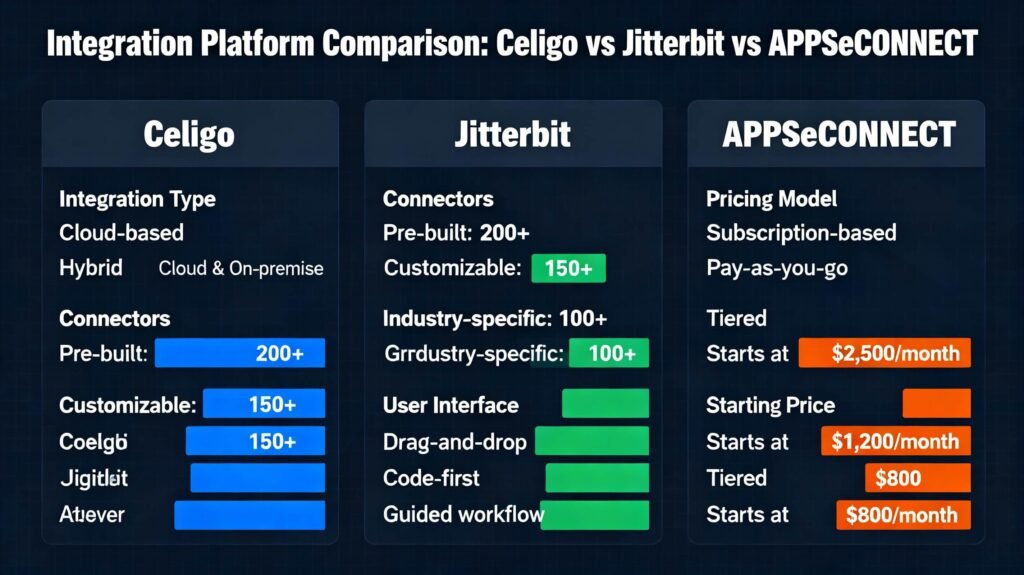
Real-World Challenges & Solutions
Challenge 1: Inventory Discrepancies & Overselling
The Problem:
Shopify and NetSuite inventory don’t match. Customers see items in stock on Shopify, but warehouse has already sold out—leading to angry customers, cancellations, and chargebacks.
Root Causes:
- Sync Delay: Shopify shows available inventory, but actual stock depleted 15 minutes ago (still syncing)
- Manual Adjustments: Warehouse manager adjusts inventory in NetSuite but forgets to update Shopify
- Multi-channel Conflicts: Same inventory sold on Shopify, Amazon, and retail—systems can’t coordinate
- Returns Processing: Return received and restocked in warehouse but not yet reflected in Shopify
Solution Framework:
| Root Cause | Solution |
|---|---|
| Sync Delay | Implement real-time inventory sync (triggered on every warehouse scan, not scheduled) |
| Manual Adjustments | Lock NetSuite as system of record; Shopify pulls only, cannot adjust |
| Multi-channel | Implement Order Management System (OMS) above NetSuite to orchestrate inventory |
| Returns Processing | Automate return receiving to trigger immediate inventory + Shopify sync |
Implementation:
- Reduce Sync Interval: From scheduled (every 15 min) to event-driven (real-time)
- Add Buffer Stock: Tell Shopify to show “sold out” when actual inventory drops below safety threshold (e.g., 5 units)
- Implement Inventory Locks: Once order placed, NetSuite immediately reserves inventory
- Create Manual Override Workflow: For rare exceptions (warehouse discovers spoiled inventory), allow manual deduction with approval workflow
Real Example (Topo Designs):
After integration, Topo reduced inventory discrepancies from 30% to <2% by:
- Implementing real-time sync triggers
- Removing virtual inventory locations
- Centralizing inventory in NetSuite as single source of truth
Success Metric: Inventory accuracy >99%, zero overselling incidents per month
Challenge 2: Data Sync Errors & Failed Records
The Problem:
Some orders fail to sync from Shopify to NetSuite. Your team doesn’t notice for hours/days. Customer doesn’t get their tracking number. Customer service chaos ensues.
Root Causes:
- Invalid Mapping: Shopify SKU “T-SHIRT-BLUE” doesn’t match NetSuite “TSHIRT_BLU_XL”
- API Rate Limits: Integrator hits NetSuite API limit, requests queued and lost
- Field Constraints: Shopify customer email too long for NetSuite customer field
- Logic Errors: Promo code not found in NetSuite, entire order fails
- Duplicate Customer Detection: System creates duplicate customer, breaks GL posting
Solution Framework:
- Implement Robust Error Handling
- Try-catch around all API calls
- Log every error with full context (which field failed, why, timestamp)
- Create error queue for manual review
- Build Self-Healing Logic
- Auto-retry failed records with exponential backoff (retry at 1 min, 5 min, 15 min, 1 hour)
- After 3 failures, escalate to human review queue
- Create Slack/email alerts for critical errors
- Pre-Validate Data
- Before syncing order, check:
- All required fields populated
- SKU exists in NetSuite
- Customer email valid
- Shipping address complete
- Reject invalid records immediately with clear error message
- Before syncing order, check:
- Create Manual Review Process
- Build dashboard showing failed records
- Allow ops team to view error details, make corrections, retry
- Track correction patterns (e.g., “email validation” is top error—improve Shopify checkout)
Real Example (Celigo-based):
Implement the following error handling:
textOrder received from Shopify:
  ↓
Validate order structure (all required fields present)
  ↓ Invalid? → Reject, log error
  ↓ Valid? → Proceed
  ↓
Check SKU exists in NetSuite item master
  ↓ Not found? → Try fuzzy matching, or quarantine
  ↓ Found? → Proceed
  ↓
Check customer email format valid
  ↓ Invalid? → Use placeholder, flag for correction
  ↓ Valid? → Proceed
  ↓
Attempt to create sales order in NetSuite
  ↓ API fails? → Queue for retry (1 min, 5 min, 15 min, 1 hr, 1 day)
  ↓ Succeeds? → Log success, notify customer
Success Metric: <0.1% of orders fail on first sync attempt; 100% of orders synced within 2 hours
Challenge 3: Customer Data Inconsistencies
The Problem:
Same customer has 3 records in NetSuite (one created from Shopify web, one from email signup, one from B2B portal). Marketing can’t reach them. Revenue not attributed correctly.
Root Causes:
- Weak Duplicate Detection: System matches only on exact email match, misses variations
- Name Variations: John vs. Jon, Smith vs. Smyth
- Address Changes: Customer moved, address differs between orders
- Multi-channel Orders: Same customer bought on Shopify, Amazon, B2B
Solution Framework:
- Implement Smart Duplicate Detection
- Match on email (primary)
- If no match: try fuzzy match on name + address
- If still no match: create new customer
- Document all matching logic and thresholds
- Standardize Data
- Email: lowercase, trim whitespace, remove +aliases
- Name: title case, remove extra spaces
- Address: standardize state abbreviations, ZIP format
- Create Merge Workflow
- Allow ops team to identify & merge duplicate customers
- Consolidate order history
- Update all orders to point to master customer record
- Audit trail of merge
- Prevent Going Forward
- Block customer creation if match >85% confidence
- Flag potential duplicates for review
- Improve Shopify checkout (email confirmation, address validation)
Real Example:
Best-in-class companies implement this workflow:
NetSuite > APISetu or custom endpoint returning customer list
json{
  "customers": [
    {
      "id": 12345,
      "email": "john@example.com",
      "normalized_email": "john@example.com",
      "name": "John Smith",
      "address": "123 Main St, Denver, CO 80202"
    }
  ]
}
Shopify receives list → Before creating customer:
- Check if email exists (exact match or normalized)
- Check if email + address match (fuzzy)
- If match found: use existing customer
- If no match: create new customer
Success Metric: <1 duplicate customer record per 100 new customers
Challenge 4: Multi-Location Fulfillment Complexity
The Problem:
You have 3 warehouses (East Coast, Midwest, West Coast). When an order comes in, which warehouse should fulfill it? Current system picks randomly, leading to high shipping costs and slow delivery.
Root Causes:
- No Fulfillment Logic: Shopify doesn’t know warehouse locations
- NetSuite Limitations: Complex rules hard to automate
- Inventory Imbalance: East Coast warehouse has 1000x units but all orders go to Midwest
Solution Framework:
- Implement Fulfillment Rules in NetSuite
- Rule 1: If inventory available at closest warehouse to customer, fulfill from there
- Rule 2: Else, fulfill from warehouse with highest inventory of that SKU
- Rule 3: Else, backorder and notify customer
- Sync Fulfillment Location to Shopify
- When order assigned to warehouse, update Shopify with warehouse location
- Sync expected ship date to customer
- Update tracking as soon as shipment leaves warehouse
- Optimize Over Time
- Track cost per fulfillment by warehouse
- Adjust rules quarterly based on cost data
- Consider zone pricing (different cost by region)
Real Example:
After integration, many retailers implement:
- Predictive fulfillment (machine learning predicts demand by location, pre-positions inventory)
- Dynamic rules (rules change by season, product type, customer tier)
- Cost optimization (run quarterly analysis: which rules maximize profit?)
Success Metric: Average shipping cost per order decreases 8-15%; average delivery time decreases 1-2 days
Challenge 5: Payment & Revenue Recognition
The Problem:
Order placed, payment charged, but revenue not recognized in NetSuite for 3-5 days because sync is broken. Finance can’t close books. Audit questions arise: “Did we actually earn that revenue?”
Root Causes:
- Payment → Revenue Mapping Weak: No clear link between Shopify payment and NetSuite revenue
- Timing Mismatches: Order created on Shopify, but NetSuite sales order posted a day later (revenue recognized on wrong date)
- Complex Rules: Subscriptions, multi-element bundles, performance obligations—complex to automate
- Tax Handling: Tax calculated on Shopify, but NetSuite has different tax rules (nexus, rate tables)
Solution Framework:
- Immediate Payment Posting
- When Shopify payment authorized (not just captured), immediately post to NetSuite
- Create “Pending Revenue” GL account
- Once order ships, reclassify to “Recognized Revenue”
- Align Revenue Recognition Policy
- Decide: Is revenue recognized at order? At payment? At fulfillment?
- Document policy
- Automate it in integration (on order creation vs. payment vs. fulfillment)
- Handle Complexity
- Subscriptions: Each billing cycle is separate revenue event
- Bundles: If bundle has service component (warranty), defer revenue
- B2B: If customer has net-30 terms, recognize revenue at invoice, not order
- Automate Tax Handling
- Shopify calculates tax using Avalara or TaxJar
- Pass tax GL code to NetSuite so tax is posted to correct account
- Reconcile tax monthly (NetSuite vs. tax return)
Real Example:
Best practice: Create automated revenue recognition workflow:
textOrder placed on Shopify with payment
  ↓
Payment authorized → Post to NetSuite
  GL: Debit AR/Cash, Credit "Deferred Revenue"
  ↓
Order ships from warehouse
  ↓
Fulfillment status syncs to NetSuite
  ↓
GL Entry: Debit "Deferred Revenue", Credit "Revenue"
  (Revenue now recognized in correct period)
  ↓
Finance closes books—revenue is already correct
Success Metric: Revenue posting latency <2 hours; zero revenue timing variance between Shopify and NetSuite
Cost Breakdown & ROI Timeline
Total Cost of Ownership (2025 Pricing)
Prebuilt Platform (Celigo)
Year 1:
| Category | Cost | Notes |
|---|---|---|
| Platform Subscription | $15,000-$36,000 | $1,250-$3,000/month depending on volume |
| Implementation Services | $0-$15,000 | If using Celigo partner like Hairball |
| Training & Documentation | $0-$5,000 | Internal time + external training |
| Year 1 Total | $15,000-$56,000 |
Year 2-3 (Annual Recurring):
| Category | Cost |
|---|---|
| Platform Subscription | $15,000-$36,000 |
| Maintenance & Support | $3,000-$8,000 |
| Annual Cost | $18,000-$44,000 |
5-Year TCO: $75,000-$164,000
Option 2: Custom API Integration
Year 1:
| Category | Cost | Notes |
|---|---|---|
| Custom Development | $80,000-$200,000 | Varies by complexity |
| Infrastructure (AWS, servers) | $12,000-$60,000 | Depends on volume |
| Testing & QA | $10,000-$30,000 | Included in dev usually |
| Year 1 Total | $102,000-$290,000 |
Year 2-3 (Annual Recurring):
| Category | Cost |
|---|---|
| Infrastructure | $12,000-$60,000 |
| Maintenance & Bug Fixes | $20,000-$50,000 |
| Annual Cost | $32,000-$110,000 |
5-Year TCO: $166,000-$550,000
Option 3: Hybrid (Platform + Custom Scripts)
Year 1:
| Category | Cost | Notes |
|---|---|---|
| Platform Subscription | $15,000-$36,000 | |
| Custom Development | $20,000-$75,000 | Limited custom work |
| Implementation | $10,000-$25,000 | |
| Year 1 Total | $45,000-$136,000 |
Year 2-3 (Annual Recurring):
| Category | Cost |
|---|---|
| Platform Subscription | $15,000-$36,000 |
| Maintenance | $8,000-$20,000 |
| Annual Cost | $23,000-$56,000 |
5-Year TCO: $91,000-$252,000
ROI Timeline & Payback Period
Conservative Assumptions (Mid-Market Retailer, $10M Revenue)
Current Inefficiencies (Annual Cost):
- Manual order entry: 2 hours/day × 250 workdays × $50/hr = $25,000
- Inventory accuracy problems: 2% lost sales on $10M = $200,000
- Finance team reconciliation: 10 days/month × 5 people × $75/hr = $75,000
- Customer service issues from order delays: Estimated 0.5% churn = $50,000
- Total Annual Cost of Inefficiency: $350,000
Integration Investment (Year 1):
- Celigo platform + implementation: $40,000
Year 1 ROI Calculation:
- Costs Eliminated: $350,000
- Investment: $40,000
- Net Benefit Year 1: $310,000
- ROI: 775% (or 87.5% monthly payback rate)
- Payback Period: 1.4 months
Ongoing Benefits (Year 2+):
- Platform cost: $20,000
- Net annual benefit: $330,000
- Cumulative 5-year benefit: $1.3M+
Aggressive Growth Scenario ($10M → $50M in 3 Years)
Without integration, scaling from $10M to $50M requires:
- Headcount increase from 8 to 40+ people (5x growth)
- Manual processes become impossible, chaos ensues
With integration:
- Headcount increase from 8 to 20 people (2.5x growth)
- Processes scale automatically
Headcount Savings Alone (3 years):
- 20 people × $80,000 average salary = $1.6M annual
- 3 years × $1.6M = $4.8M in headcount costs avoided
Integration investment (3 years):
- $40,000 (Year 1) + $20,000 (Year 2) + $20,000 (Year 3) = $80,000
ROI on growth scenario: 6,000% over 3 years
Benchmarking: Real Company ROI Data
| Company | Initial Investment | Annual Savings | Payback Period | 3-Year ROI |
|---|---|---|---|---|
| Eyebobs | $50,000 | $200,000+ (labor) | <3 months | 1200%+ |
| Topo Designs | $40,000 | $300,000 (revenue recovery) | 1.6 months | 2,250% |
| Perfect Keto | $35,000 | $150,000 (labor + reduced contractors) | 2.8 months | 1,286% |
| Industry Average | $40,000-$60,000 | $200,000-$400,000 | 1-4 months | 800-1,200% |
Key Insight from Jitterbit: 95% of their customers achieve full ROI in less than one year.
General Questions
Q: Do I need NetSuite to use Shopify?
A: No. Shopify is a standalone e-commerce platform that functions perfectly without NetSuite. However, NetSuite becomes critical when you need advanced financial controls, multi-location inventory, subscription billing, B2B workflows, or complex tax compliance. Most companies start with Shopify (1-10M revenue range), then add NetSuite (10M+ revenue range) as they scale.
Q: Can I integrate Shopify with other ERPs (SAP, Microsoft Dynamics, etc.)?
A: Yes. Celigo, Jitterbit, and other iPaaS platforms support integrations with SAP, Dynamics 365, NetSuite, Infor, and others. However, NetSuite is the most Shopify-friendly ERP in the mid-market space due to its SaaS nature and modern APIs.
Q: How long does a Shopify NetSuite integration take?
A:
- Prebuilt platform (Celigo): 2-4 weeks
- Custom API: 8-16 weeks
- Hybrid: 4-8 weeks
Timeline depends on complexity, team availability, and business requirements.
Q: Will my team need to learn new software?
A: Minimal for operations team. They’ll learn new workflows (e.g., “now orders auto-sync, so check NetSuite for fulfillment instead of checking Shopify email”). Finance team benefits most—they get real-time data instead of manual reconciliation.
Technical Questions
Q: What APIs does Shopify NetSuite integration use?
A:
From Shopify:
- REST API (primary): Orders, Customers, Products, Inventory
- GraphQL API (increasingly common): More efficient queries for large data volumes
From NetSuite:
- SuiteTalk API (SOAP & REST): All core NetSuite functionality
- SuiteScript: Custom scripting for complex logic
Q: Is the integration real-time or scheduled?
A: Modern integrations are event-driven (real-time):
- Shopify order placed → Webhook triggers → Order syncs to NetSuite within 30-60 seconds
- NetSuite inventory adjusted → Scheduled sync every 5-15 minutes (not real-time, but close)
Legacy integrations used batch processing (once per day), which is now considered outdated.
Q: What happens if the integration fails?
A: Proper integrations have multi-layer error handling:
- Auto-retry (attempts 3x with backoff)
- Alerting (Slack/email notification to ops team)
- Manual Review Queue (failed records quarantine for human review)
- Rollback (partial failures rolled back to maintain data integrity)
Q: How much data bandwidth does integration use?
A: Negligible. A Shopify NetSuite integration typically syncs:
- 100-1000 orders/day = ~50-500 MB of data/day
- Cloud storage/bandwidth costs: <$100/month
Not a concern for any reasonably-sized company.
Business Questions
Q: Will integration improve my customer experience?
A: Yes, indirectly:
- Faster order processing → quicker fulfillment → faster delivery
- Accurate inventory → no broken promises about out-of-stock items
- Unified customer data → better service (rep knows customer history)
- Real-time tracking → customers see updates
Q: Can integration help with tax compliance?
A: Yes. NetSuite’s advanced financials handle:
- Sales tax by jurisdiction (with Avalara integration)
- Nexus management (which states owe sales tax)
- VAT for international orders
- Revenue recognition per ASC 606
Integration ensures Shopify sales tax automatically posts to NetSuite for reconciliation.
Q: Will integration secure my customer data?
A: Integration adds security when done correctly:
- ✅ Encrypted API connections (TLS)
- ✅ Token-based authentication (not passwords)
- ✅ Audit logs (who accessed what, when)
- ✅ Role-based access (customer service can’t see financial data)
However, poor integration setup can expose data. Choose reputable platforms and follow security best practices.
Q: Can integration handle international sales?
A: Yes. Setup required for:
- Multi-currency pricing and GL posting
- Tax by country (VAT, GST, etc.)
- Fulfillment from multiple regions
- Customs compliance data
More complex, but absolutely doable. Many global retailers run Shopify + NetSuite integrations across 20+ countries.
Implementation Questions
Q: Should we use a prebuilt platform or build custom?
A: Use this decision tree:
textDo you have 5+ people with API development expertise?
  → No → Use prebuilt platform (Celigo, Jitterbit)
  → Yes → Continue

Do your business workflows match 80%+ of standard e-commerce?
  → Yes → Use prebuilt platform (faster, cheaper, less maintenance)
  → No → Consider hybrid or custom

Is your company betting on being differentiated through ops/tech?
  → Yes → Custom build (long-term advantage)
  → No → Prebuilt platform (focus on business, not tech)

Do you have $150K+ budget and 6+ months timeline?
  → Yes → Custom build is feasible
  → No → Prebuilt platform is better
Bottom line: 90% of mid-market companies should use prebuilt platforms. Custom builds are for enterprises with unique requirements or long-term tech strategies.
Q: How do we test before going live?
A: Three-stage testing:
- Sandbox/Development (2-3 weeks)
- Celigo sandbox + Shopify dev store + NetSuite sandbox
- Test every data flow, edge case, error scenario
- Staging/Pre-Production (1 week)
- Run duplicate of production environment
- Real data if possible (or production-like test data)
- Full team tests end-to-end
- Pilot Go-Live (1 week)
- 5-10% of live orders through new integration
- Monitor closely
- No visible issues? Proceed.
Q: What if something breaks during go-live?
A: Have a rollback plan:
- Keep old process running in parallel for 1-2 weeks
- If new integration fails, switch back to old process
- Root cause the issue, fix, retest
- Go-live again
This safety net costs extra time/effort but prevents panic and data loss.
Cost & ROI Questions
Q: How much will this cost?
A: Total cost depends on path chosen:
| Path | Year 1 Cost | Annual Recurring |
|---|---|---|
| Prebuilt (Celigo) | $15K-$56K | $18K-$44K |
| Hybrid | $45K-$136K | $23K-$56K |
| Custom | $102K-$290K | $32K-$110K |
But ROI typically pays back in 1-4 months, so the question shouldn’t be “can we afford this?” but “can we afford NOT to do this?”
Q: What’s included in platform costs vs. additional fees?
Celigo Breakdown:
| Item | Included | Additional Cost |
|---|---|---|
| Platform subscription | ✓ | |
| Prebuilt Shopify-NetSuite connector | ✓ | |
| Drag-drop flow builder | ✓ | |
| Error handling & retries | ✓ | |
| Custom scripts/logic | ✓ (limited) | $0-5,000 for advanced |
| Implementation services | Varies | $5K-$15K engagement |
| Training | Limited | $2K-$5K for full program |
| Support | Basic included | Premium: +20-30% of subscription |
Q: Does integration cost more as we grow?
A: Prebuilt platforms often have tiered pricing:
textTier 1: 0-500 orders/month → $1,000/month
Tier 2: 500-2,000 orders/month → $2,000/month
Tier 3: 2,000-5,000 orders/month → $3,000/month
Tier 4: 5,000+ orders/month → $5,000+/month
Custom integrations scale differently:
- Infrastructure costs may increase with volume
- Maintenance costs fairly flat (fixed team cost)
- Per-order cost decreases as volume grows
For aggressive growth, hybrid or custom may become cheaper at scale.
Post-Implementation Questions
Q: How do we monitor the integration after launch?
A: Setup dashboards tracking:
- Sync Health
- Orders synced today / Orders placed today (should be ~100%)
- Average sync latency (should be <5 minutes)
- Failed record count (should be <0.1%)
- Data Accuracy
- Inventory variance: Shopify qty vs. NetSuite qty (should be <1%)
- Order total variance (should be $0)
- Customer count: Duplicates identified (should be <0.5%)
- Financial Impact
- Revenue recognized on time (should be 100% within 2 hours)
- Tax posted correctly (should be 100%)
- GL reconciliation variance (should be $0)
Tools: Celigo has built-in dashboards; custom integrations often use Datadog or CloudWatch for monitoring.
Q: What happens if we add a new sales channel (Amazon, Etsy)?
A: The integration scales to support it:
- If using prebuilt platform: Most platforms support multi-channel connectors
- Celigo has Amazon, Etsy, WooCommerce connectors
- All channel orders flow to shared NetSuite inventory
- Prevents overselling across channels
- If using custom API: Add new channel connectors as needed
- May require additional development
- Cost: $10K-$30K per channel
Best practice: Design integration to be channel-agnostic from day 1 (even if you only have Shopify today).
Q: How often should we review/update the integration?
A: Quarterly at minimum:
- Monthly: Monitor dashboards, address alerts
- Quarterly: Review sync performance, check for data discrepancies, identify improvement opportunities
- Annually: Full audit of data accuracy, ROI calculation, technology refresh assessment
Troubleshooting Questions
Q: Orders aren’t syncing to NetSuite. What do we check first?
A: Troubleshooting checklist:
- Is integration running?
- Check platform dashboard (Celigo, Jitterbit, etc.)
- Is the sync job scheduled/active?
- Any API errors showing?
- Check API connectivity
- Test Shopify API connection (can we pull orders?)
- Test NetSuite API connection (can we create sales orders?)
- Are rate limits being hit?
- Check data validation
- Does order have all required fields?
- Does customer email format valid?
- Does order SKU exist in NetSuite?
- Check error queue
- Are failed orders being logged?
- What’s the specific error message?
- Is there a pattern (e.g., “all orders with discount codes fail”)?
- Check permissions
- Does API user have permission to create sales orders in NetSuite?
- Does Shopify API key have permission to pull orders?
- Escalate if needed
- Contact platform support (Celigo, Jitterbit)
- Provide error logs and timestamps
- Most issues resolved in 24 hours
Q: Inventory is out of sync. One system shows quantity X, the other shows Y. What went wrong?
A: Common causes & fixes:
| Symptom | Likely Cause | Fix |
|---|---|---|
| Shopify shows 100, NetSuite shows 95 | Sync delay (recent sales not yet synced) | Wait 15 minutes, check again |
| Same discrepancy every day | Sync not running on schedule | Check integration job scheduler |
| Random discrepancies | Manual adjustments in one system not syncing | Enforce that only NetSuite is adjusted, Shopify pulls |
| Inventory on Shopify shows sold-out, but NetSuite shows 500 units | Shopify threshold not set correctly | Adjust Shopify inventory threshold rule |
Permanent fix: Implement real-time sync triggers instead of scheduled syncs.
Best Practices & Optimization Strategies
Pre-Integration Best Practices
1. Clean Your Data First
Before integrating, spend time cleaning:
- NetSuite Item Master: Remove inactive items, standardize SKU format
- NetSuite Customer Master: Identify & merge duplicates
- Shopify Product Database: Standardize product titles, ensure SKU matches NetSuite
- Shopify Customers: Identify test records, merge duplicates
Why? Integration will amplify dirty data. Better to fix now than debug after.
2. Map Fields Precisely
Create detailed field mapping document:
textShopify Field → NetSuite Field
(including field type, length, required status, business logic)

Example:
- Shopify Order ID (String, 255 chars, Required)
  → NetSuite Document Number (String, 40 chars, Required)
  Note: Shopify IDs are longer, may need truncation/hashing

- Shopify Line Item Title (String, Required)
  → NetSuite Item Name (String, 255 chars, Required)
  Note: Shopify allows longer names, may need abbreviation

- Shopify Discount Code (String, Optional)
  → NetSuite Custom Field: promo_code (String, 100 chars, Optional)
  Note: Must validate code exists in NetSuite promo table
Precision here saves days of troubleshooting later.
3. Establish Data Governance
Define who owns what:
| Data Asset | Owner | System of Record | Update Process |
|---|---|---|---|
| Product Catalog | Merchandising | NetSuite | Product team updates NetSuite; Shopify pulls daily |
| Inventory Levels | Warehouse | NetSuite | Warehouse scans; NetSuite updates; Shopify syncs real-time |
| Customer Info | Customer Service | Both (merged view) | Customers can update on Shopify; syncs to NetSuite |
| Pricing | Finance | NetSuite | Finance approves prices in NetSuite; Shopify pulls daily |
Clear ownership prevents “who’s responsible?” arguments.
Post-Integration Optimization
1. Monitor Constantly (First 90 Days)
Week 1: Daily monitoring
- Check sync status dashboard every morning
- Review any errors or warnings
- Validate data accuracy spot-checks
Week 2-4: Weekly monitoring
- Sync dashboard review each Monday
- Data accuracy audit (100 random orders)
- Team feedback/issues collected
Month 2-3: Bi-weekly monitoring
- Dashboard review every other week
- Monthly data accuracy audit (200 random orders)
- Optimization opportunities identified
After 90 days: Monthly monitoring
- Regular dashboard review
- Quarterly data accuracy audit
2. Implement Continuous Improvement Cycle
Every month:
- Review Metrics
- Sync success rate (target: 99.9%+)
- Average sync latency (target: <5 minutes)
- Data accuracy (target: 99%+)
- Identify Issues
- Which data flows have highest error rate?
- Are there patterns (certain order types always fail)?
- User feedback: what’s broken or slow?
- Prioritize Fixes
- Separate critical (breaks orders) vs. important (efficiency) vs. nice-to-have
- Document issue, root cause, proposed fix
- Assign owner and timeline
- Test & Deploy
- Test fix in sandbox first
- Deploy to production
- Monitor for 1 week
- Document outcome
3. Expand Integration Scope
After core flows stable, expand:
- Phase 1 (Months 1-2): Orders, Inventory, Customers
- Phase 2 (Months 3-4): Add Fulfillment, Shipping, Returns
- Phase 3 (Months 5-6): Add Advanced (Subscriptions, B2B, Advanced Tax)
- Phase 4 (Months 7+): Add Other Channels (Amazon, Etsy) or Other Systems (CRM, Shipping)
Don’t try to do everything at once. Master core flows, then expand.
Common Mistakes to Avoid
Mistake 1: Rushing Implementation Without Planning
The Error: “Let’s integrate this fast. No need for mapping docs or testing.”
The Cost:
- Weeks of troubleshooting after go-live
- Data integrity issues that take months to fix
- Loss of customer trust (orders delayed, discrepancies)
The Fix: Invest 3-4 weeks in planning before writing a single line of code.
Mistake 2: Choosing the Wrong Integration Approach
The Error: Building custom API integration when prebuilt platform would work fine.
The Cost:
- 10x longer timeline (16 weeks vs. 2 weeks)
- 3-5x higher cost ($150K vs. $30K)
- Ongoing maintenance burden
- Knowledge concentration risk
The Fix: Use decision matrix to choose approach. Default to prebuilt unless clear reason to custom build.
Mistake 3: Not Planning for Errors
The Error: Assuming 100% of orders will sync successfully.
The Cost:
- Orders fall through cracks silently
- Customers don’t get tracking numbers
- Finance reports are incomplete
- Takes days to notice problems
The Fix: Build robust error handling from day 1. Assume 0.1-0.5% of records will fail. Plan for manual review queue.
Mistake 4: Making NetSuite Not the System of Record
The Error: Allowing manual updates in both Shopify and NetSuite, creating conflicting versions of truth.
The Cost:
- Data inconsistencies (which system is right?)
- Perpetual sync issues
- Customer data fragmentation
- Finance can’t reconcile
The Fix: Designate NetSuite as system of record for products and inventory. Shopify is read-only (pulls data). Prevents conflicts.
Mistake 5: Neglecting Security
The Error: Storing API credentials in code, transmitting data unencrypted, poor access controls.
The Cost:
- Data breach exposing customer information
- Compliance violations (GDPR, PCI DSS)
- Loss of customer trust
- Legal liability
The Fix: Use secure credential management (environment variables, AWS Secrets Manager). Encrypt all API connections (TLS). Implement role-based access controls.
Mistake 6: Underestimating Data Cleaning
The Error: Integrating without first cleaning legacy data.
The Cost:
- Garbage in, garbage out
- Duplicate records propagate
- Inventory inconsistencies
- Years to clean up
The Fix: Spend 2-3 weeks pre-integration cleaning data in both systems.
Mistake 7: Not Training Your Team
The Error: Launching integration without teaching team how to use it.
The Cost:
- Team continues old manual processes
- Benefits not realized
- Errors not caught because team doesn’t understand system
The Fix: Allocate 1-2 weeks for training. Create runbooks, video guides, FAQs.
Conclusion: The Strategic Imperative
Shopify NetSuite integration is no longer optional for serious e-commerce companies. It’s foundational.
The companies that will dominate e-commerce in 2025+ are those that:
- Automate ruthlessly (orders, inventory, customers sync automatically)
- Make fast decisions (real-time data accessible to all teams)
- Scale without proportional headcount growth (systems doing work, not people)
- Deliver exceptional customer experiences (fast fulfillment, accurate inventory, great service)
Every dollar invested in integration returns 8-12x in operational efficiency, reduced errors, and freed-up team capacity to focus on growth.
The question is not “Should we integrate?” The question is “How fast can we integrate?”
Key Takeaways
- Integration ROI is real: Payback period typically 1-4 months; 5-year ROI of 600-1200%
- Prebuilt platforms are the default choice: 90% of mid-market companies should use Celigo/Jitterbit, not custom
- Plan thoroughly before executing: 3-4 weeks planning saves 10+ weeks of troubleshooting
- Real-time, event-driven sync is non-negotiable: Scheduled batch syncs are outdated
- Invest in error handling & monitoring: Assume failures will happen; plan for graceful recovery
- Make NetSuite your system of record: Shopify pulls, doesn’t push; prevents conflicts
- Clean data before integrating: Garbage in, garbage out
- Scale incrementally: Master core flows, then expand to advanced features
- Optimize continuously: Monthly reviews, quarterly audits, annual tech refresh
- The future belongs to integrated businesses: Automation, not manual processes, wins
Action Plan (Next 30 Days)
Week 1: Discovery
- Schedule stakeholder meetings (Finance, Ops, IT, Customer Service)
- Document current state (data flows, pain points, volume forecasting)
- Define success metrics
Week 2: Architecture
- Evaluate Celigo vs. Jitterbit vs. custom
- Create field mapping document
- Build data governance document
Week 3: Planning
- Choose integration platform
- Set up sandboxes (Shopify dev store, NetSuite sandbox, platform sandbox)
- Create detailed project plan (timeline, milestones, team assignments)
Week 4: Kickoff
- Partner engagement (if using Celigo partner)
- Team training on integration platform
- Begin sandbox testing
Months 2-3: Implementation & Testing
Month 4: Go-Live
Months 5+: Optimization & Expansion
This is not just a technology project. This is a business transformation that will fundamentally change how your company operates. The payoff is worth every moment of effort.